

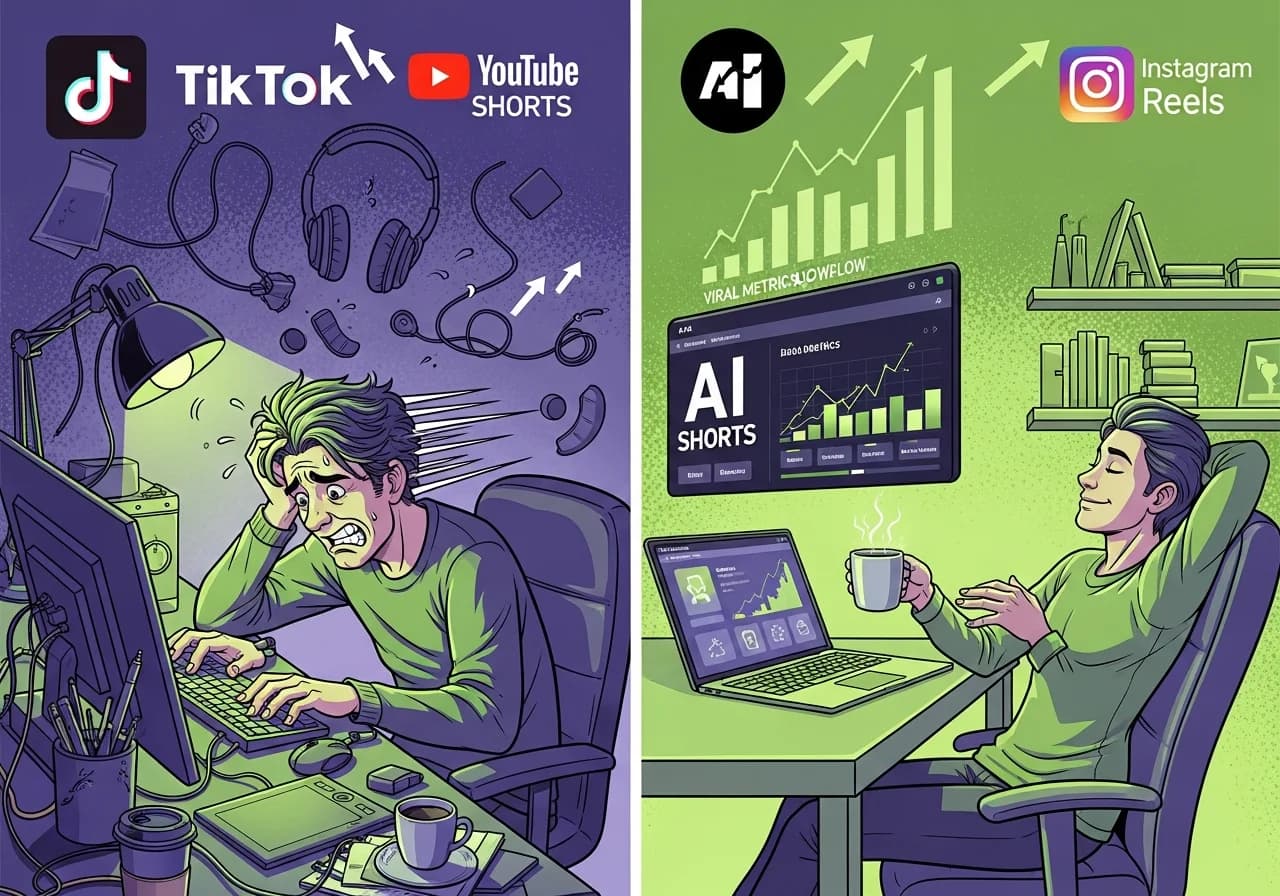
Best AI Shorts Generator in 2026: Complete Comparison (Top 10 Tools Tested + Free Options)
The AI shorts generation landscape has matured significantly, with tools now spanning free basic clippers to $95/month professional AI video generators.
Table of Contents
- Understanding the Three Tool Categories
- Top 10 AI Shorts Generators Ranked
- Complete Pricing and Feature Comparison
- Free vs Paid Reality Check
- Voice Quality and Music Licensing Deep Dive
- Platform-Specific Optimization Strategies
- Professional Workflow Recommendations
- Common Mistakes to Avoid
- Decision Framework: Which Tool to Choose
Understanding the Three Tool Categories
AI shorts tools have diverged into distinct categories that serve different workflows.
Repurposing tools like Opus Clip, Munch, and Vidyo.ai extract viral moments from long-form content. These work best for podcasters, webinar creators, and YouTubers with existing videos to slice into shorts.
Text-to-video generators including Virvid, InVideo AI, Pictory, and Fliki create complete shorts from scripts. They handle voiceovers, visuals, captions, and music in unified workflows. Perfect for faceless channels or creators starting from scratch.
AI video generators like Runway Gen-4, Luma Dream Machine, and Pika synthesize original footage from text prompts. These require editing skills but deliver custom visuals impossible to find in stock libraries.
The pricing spectrum ranges from completely free (YouTube Create, CapCut's basic tier) to enterprise solutions exceeding $100 monthly. Mid-tier options between $15-50/month offer the best value for most creators, while free tiers universally impose watermarks, resolution limits, or strict usage caps.
Top 10 AI Shorts Generators Ranked
#1 Virvid - Best for Viral Faceless Shorts at Scale
Virvid dominates the text-to-video category with purpose-built trending formats that other platforms lack.
Why Virvid wins for viral content:
- Trending formats built-in: scary stories, UGC ads, listicles, tutorials, documentaries updated constantly
- 30+ voices optimized per content type (different voice styles for scary stories vs business tips vs UGC)
- 1000+ YouTube-safe music tracks sorted by tags (horror, emotional, motivational, trending memes)
- One-click generation from script to publish in under 2 minutes
- Batch production workflow for creators posting 3-5 shorts daily
- Simple pricing: $19/month for approximately 30 shorts, no complex credit systems
- No watermark on paid plans
The platform continuously updates with new trending visual styles so creators don't miss algorithm shifts. Users can duplicate viral examples with one click, making it ideal for creators who want results without becoming social media experts.
Best use case: Faceless channel creators who prioritize viral performance over manual creative control. For a detailed comparison, see our Virvid vs InVideo AI analysis.
#2 InVideo AI - Best for Broad Creative Control
InVideo AI positions itself as the most comprehensive text-to-video platform, serving 7 million creators across 195 countries as of December 2025.
Key features:
- 16+ million stock assets from iStock, Getty, and Storyblocks
- AI script generation and avatar creation in 50+ languages
- Voice cloning (2-5 clones depending on plan tier)
- Scene-by-scene editing with workflow templates
- AI-powered music selection
Pricing structure (monthly billing):
- Free: 2 video minutes/week, watermarked, no generative features
- Plus (~$28-35/month): 50 AI minutes/month, 80 iStock assets, 2 voice clones, no watermark
- Max (~$50-60/month): 200 AI minutes/month, 320 iStock assets, 5 voice clones
- Generative (~$100-120/month): Full generative AI access with 15-minute credit allowances
The credit system confuses users, according to community feedback. PRO models consume approximately 20 credits/minute while ULTRA models use approximately 40 credits/minute. Credits don't roll over between billing cycles.
Cons: Requires more tweaking than one-click tools like Virvid. The free tier's weekly (not monthly) limitations make it impractical for regular production.
Best use case: Creators wanting avatar presenters or needing extensive stock footage library. If InVideo AI doesn't fit your needs, explore our best InVideo AI alternatives guide.
#3 Pictory - Best for Highest Quality Faceless Narration
Pictory differentiates through strategic partnerships that bundle premium resources at accessible price points.
Key advantages:
- Premium voices powered by ElevenLabs (most natural-sounding narration)
- Getty Images and Storyblocks footage access (valued at approximately $3,900 separately)
- Melodie music library with YouTube-safe licensing
- Documented dispute assistance for copyright claims
- Script-to-video workflow optimized for educational content
Pricing (December 2025):
| Plan | Monthly | Annual |
|---|---|---|
| Starter | $25 | $19/mo |
| Professional | $49 | $29/mo |
| Team | $119 | $99/mo |
The Professional plan includes 120 minutes of ElevenLabs voices monthly across 29 languages. The 14-day free trial provides 15 video minutes across 3 projects at 720p.
Cons: Less "trending" format variety than Virvid, more expensive for high-volume production.
Best use case: Educational or explainer content where voice quality matters most. Professional narration elevates credibility for business and tutorial channels.
#4 Opus Clip - Best for Repurposing Long Videos
For creators converting podcasts or webinars into viral shorts, Opus Clip's ClipAnything technology identifies engaging moments using AI analysis of spoken words, visual objects, sound, and emotion patterns.
Key features:
- Auto-clips from YouTube URLs or uploads
- AI virality score predicts performance (based on thousands of viral clips)
- Animated captions and AI b-roll insertion
- Reframes speakers for vertical format
- 1-click export/autopost to platforms
- Integrated in TikTok App Center
Free tier verified: The claimed "60 minutes/month" is accurate. Free users receive 60 credits monthly (1 credit = 1 minute processed). However:
- Watermarked exports
- No editing capabilities
- Clips expire after 3 days
- No Virality Score access
- Limited to YouTube and local video imports only
Paid pricing:
- Starter ($15/month): 150 credits, Virality Score, animated captions, auto-posting, no watermark
- Pro ($29/month or $174/year): 3,600 annual credits, team workspace, multiple aspect ratios
Best use case: Podcasters, webinar creators, long-form YouTubers who need to extend content lifespan across platforms.
#5 CapCut - Best for Free Editing with Trending Templates
CapCut offers the most generous free tier among AI editing tools: 1080p exports, extensive AI features (auto-captions, background removal, beat sync), and trending templates updated regularly.
Free features:
- 1080p resolution exports
- AI auto-cut and auto-captions
- Trending TikTok templates (updated weekly)
- Beat-synced transitions
- Vertical presets for shorts
Major concerns:
US availability remains uncertain through ByteDance regulatory issues. CapCut was temporarily banned alongside TikTok on January 19, 2025, then reinstated. A September 2025 "qualified divestiture" deal reportedly separates ByteDance apps from Chinese control, but permanent status depends on ongoing negotiations.
Music licensing risks are substantial. While CapCut's library works within TikTok, tracks frequently trigger Content ID claims on YouTube and Instagram. The June 2025 Terms of Service update granted ByteDance broad rights over user content, including unfinished drafts.
Pro subscription ($7.99-9.99/month) adds 4K/60fps export, watermark removal, premium templates, and 100GB cloud storage.
Best use case: Finishing and polishing shorts on budget, leveraging TikTok trends. Have backup editor ready if US ban enforcement resumes.
#6 Fliki - Best for Large Voice Catalog + Music Library
Fliki's text-to-video platform emphasizes voice variety and music resources.
Verified features:
- 80+ languages with 100+ dialects
- 2,500+ AI voices including ultra-realistic and studio-quality tiers
- 20,000+ pre-cleared music tracks (YouTube-safe, dispute assistance included)
- AI avatars for presenter-style content
- Storyblocks integration (2M+ additional licensed assets)
Pricing comparison:
- Free: 5 minutes/month, 720p, watermark, 300 voices, no commercial rights
- Standard ($21/month annually): 180 minutes/month, 1,080p, 1,000 voices, 1 voice clone
- Premium ($66/month annually): 600 minutes/month, 2,000+ voices, 3 voice clones, AI avatars
The free tier's 5-minute monthly allowance is the most restrictive among major competitors.
Best use case: Multilingual content creators or those prioritizing music variety. The massive track library reduces repetition across videos.
#7 Runway Gen-3/Gen-4 - Best for Professional Custom AI Footage
For creators needing AI-generated footage rather than stock media, Runway's Gen-4.5 represents the current quality ceiling.
Model progression and credit costs:
- Gen-3 Alpha Turbo: 5 credits/second (fastest, most economical)
- Gen-4 Turbo: 5 credits/second (better consistency)
- Gen-4: 12 credits/second (higher fidelity)
- Gen-4.5: 25 credits/second (best quality, up to 10-second clips)
Advanced features:
- Motion Brush (paint specific areas to define movement direction)
- Director Mode (camera controls: pan, dolly, zoom, FPV)
- Style presets for cinematic quality
- 1080p output with temporal consistency
Pricing (December 2025):
- Free: 125 one-time credits (not monthly), 720p with watermark
- Standard ($12/month annually): 625 credits/month, all models, no watermark
- Pro ($28/month annually): 2,250 credits/month, custom voices, lip sync
- Unlimited ($76/month annually): 2,250 fast credits plus unlimited relaxed-mode generations
Cons: Credit-based pricing gets expensive for volume. Requires editing skills. Not a one-click Shorts workflow.
Best use case: Filmmakers, agencies needing custom b-roll or stylized footage. Professional projects where unique visuals justify premium pricing.
#8 HeyGen - Best for AI Avatar Shorts with Multilingual Dubbing
HeyGen excels at AI avatar content with lifelike presenters and voice cloning across 175+ languages.
Key features:
- Avatar IV technology with natural gestures
- Multilingual lip-sync dubbing
- Fast generation optimized for Reels/Shorts
- Voice cloning from short audio samples
Pricing:
- Free: 3 videos/month at 720p with watermarks
- Creator ($24/month annually): Removes watermark, increases quota
- Business plans: Start at $89/month for team features
Best use case: Brand explainers, localized content variants, creators who want presenter-style delivery without filming.
#9 YouTube Create - Best for YouTube-Native Shorts Creation
YouTube Create provides free editing tools built specifically for Shorts, though availability remains limited.
Features:
- Built for Shorts with vertical presets
- Beat-synced transitions
- Noise cleanup and auto-captions
- Direct upload to YouTube
- Completely free, no watermarks
Major limitation: Android only as of December 2025. iOS availability limited to Canada and Australia only.
Note: YouTube Create is an editor, not a generator. For AI video generation, use YouTube Shorts' Veo 3 Dream Screen (8-second clips, AI-labeled, free).
Best use case: YouTube-first mobile creators on Android who want native integration.
#10 Munch - Best for Trend-Aware Repurposing
Munch differentiates from standard repurposing tools by analyzing real-time social and search trends.
Key features:
- Analyzes trending topics across platforms
- Matches clips to trending conversations
- Platform-specific optimization (TikTok/Reels/Shorts different outputs)
- Virality scoring based on current trends
Best use case: Agencies and marketers needing trend intelligence combined with clip extraction. More strategic than simple repurposing. For more comparison options, see our guides on Virvid vs Revid.ai and best Revid.ai alternatives.
Complete Pricing and Feature Comparison
| Tool | Voice Quality | Music Library | Ease of Use | Pricing | Watermark Free | Best For |
|---|---|---|---|---|---|---|
| Virvid | 4/5 (30+ optimized) | 1000+ (YT-safe) | Easiest | $19/mo approximately 30 shorts | Paid plans | Viral faceless content |
| InVideo AI | 4/5 (ElevenLabs opt) | 16M+ stock assets | Medium | Free-$100+/mo | $28+ plans | Creative control |
| Pictory | 5/5 (ElevenLabs) | Getty+Melodie | Easy | $19-99/mo annual | $19+ plans | Educational narration |
| Opus Clip | N/A (uses source) | N/A (uses source) | Easy | $15-29/mo | $15+ plans | Repurposing podcasts |
| CapCut | N/A (editing only) | Risky licensing | Medium | Free-$9.99/mo | $7.99 plan | Budget editing |
| Fliki | 4/5 (2500+ voices) | 20K+ tracks | Easy | $21-66/mo annual | $21+ plans | Multilingual content |
| Runway Gen-4 | N/A (footage gen) | N/A (footage gen) | Advanced | $12-76/mo | $12+ plans | Custom AI footage |
| HeyGen | 4/5 (175+ langs) | Limited | Easy | $24+/mo annual | $24+ plans | AI avatar presenters |
Voice quality ratings based on naturalness and variety. Music library includes count and YouTube-safe licensing status.
Free vs Paid Reality Check
Several tools market "free" tiers with significant limitations that impact practical use. For a comprehensive breakdown of free options versus paid premium tools, see our free AI shorts generator tools comparison.
Free Options That Actually Work
YouTube Shorts Veo 3 (Dream Screen):
- Generates AI video backgrounds and standalone clips
- Available in 70+ countries
- 480p output via Veo 3 Fast model
- Automatically labeled with SynthID watermarking
- Completely free, integrated in YouTube mobile app
Bing Video Creator with Sora:
- Launched June 2025 marking Sora's first free public availability
- 10 free generations, then 100 Microsoft Rewards points per video
- 5-second maximum duration, 9:16 vertical format only
- Mobile-only access
Opus Clip Free Tier:
- 60 minutes/month processing (verified accurate)
- Watermarked exports
- Clips expire after 3 days
- No Virality Score or editing
- YouTube and local imports only
CapCut:
- 1080p exports, trending templates, AI features
- Music copyright risk (YouTube Content ID claims)
- US availability uncertain through regulatory issues
- Completely free with Pro upgrade at $7.99/month
What You Lose on Free Tiers
Common free tier restrictions across platforms:
- Watermarks on all exports (ruins professional appearance)
- Resolution limits (typically 720p max, often 480p)
- Slower processing queues (paid users get priority)
- No commercial use rights (can't monetize content)
- Limited monthly quota (5-60 minutes/month max)
- Generic templates only (no trending or premium formats)
Cost Calculation: When Paid Makes Sense
Virvid Lite: $19/month ÷ 30 shorts = $0.63 per short
Manual workflow cost:
- Script writing: 30 minutes
- Voice recording/editing: 20 minutes
- Video editing: 45 minutes
- Total: approximately 95 minutes per short
At $20/hour freelancer rate: $31.67 per short
Paid makes sense when:
- Posting 3+ times weekly (12+ shorts/month)
- Monetizing content (need no watermark for Partner Program)
- Need commercial rights for client work
- Value time over money (hour saved = money earned)
Voice Quality and Music Licensing Deep Dive
Voice Quality Rankings
Tier 1 (ElevenLabs-powered):
- Pictory Premium: 120 min/month ElevenLabs voices (29 languages)
- Fliki: Full ElevenLabs integration
- InVideo AI: ElevenLabs option on higher plans
- Lumen5: ElevenLabs partnership
ElevenLabs maintains its position as the gold standard for AI voice quality, with instant voice cloning requiring only a 10-second audio sample for 90%+ accuracy.
Tier 2 (Very Good):
- Virvid: 30+ optimized voices matched to content type
- Synthesia: 140+ languages
- HeyGen: 175+ languages with natural gestures
Tier 3 (Serviceable):
- Free tools and basic plans
- Standard text-to-speech engines
- Limited language support
Music Library Analysis
YouTube-Safe (Confirmed Dispute Support):
- Pictory (Melodie library): AI-powered track selection, provides license proof for disputes
- Virvid: 1000+ tracks sorted by trending tags, explicitly YouTube-safe
- Fliki: 20,000+ pre-cleared tracks with dispute assistance
- Lumen5: Storyblocks integration
- Synthesia: Soundstripe partnership
Risky (Reported Copyright Claims):
- CapCut library: Works on TikTok, frequently flagged on YouTube
- Canva "Popular Music": Personal use only, NOT for commercial social posts per ToS
- Template music across platforms: Often unclear licensing status
Best Practice:
Use tools with explicit YouTube licensing PLUS keep proof of license for Content ID disputes. The Melodie API User License PDF from Pictory has resolved numerous false claims.
Zero-Risk Alternative:
AI-generated music eliminates copyright issues entirely:
- SOUNDRAW: 100% royalty ownership
- Beatoven.ai: Perpetual royalty-free licenses
- Mubert: Generative music for content creators
Platform-Specific Optimization Strategies
YouTube Shorts Optimization
Algorithm preferences (December 2025):
- 70-200 billion daily views across platform
- Engagement rates: 5.91-11% (outperforms TikTok and Reels)
- Monetization: $0.01-0.07 per 1,000 views
- Creators receive 45% of allocated ad revenue
Optimal length for viral potential: 50-60 seconds (averaging 4.1 million views), though videos under 25 seconds account for 68% of total consumption.
Hook strength critical: Strong hooks in first 2-3 seconds retain 19% more viewers. Average viewer swipes away after 5.8 seconds if unengaged.
Key requirements:
- Searchable titles (Shorts appear in YouTube search)
- Custom thumbnails help (select frames and add text/emoji overlays)
- 70%+ retention target for monetization
- "Engaged views" metric matters for Partner Program
Best tools: Virvid (retention-optimized formats), YouTube Create (native integration), Pictory (quality for educational content). For YouTube-specific tool comparisons, check our Virvid vs Vid.ai analysis and best Vid.ai alternatives.
TikTok Optimization
Platform statistics (December 2025):
- 1.04-1.59 billion monthly active users globally
- 135-170 million in the US
- Average daily usage: 52-58 minutes US, 95-98 minutes globally
- 70%+ consumption through For You Page (not followed accounts)
Algorithm priorities:
- Watch time completion (most important metric)
- Trending sounds and effects (changes weekly)
- Video information (captions, hashtags, sounds)
- User interactions (likes, comments, shares)
US ban status: Legally upheld but unenforced through executive order extensions. Current deadline December 16, 2025. Proposed deal grants 45% ownership to Oracle, Silver Lake, and MGX.
Best tools: Virvid (trending formats), Munch (trend analysis), CapCut (native TikTok templates), TikTok Symphony Creative Studio.
Instagram Reels Optimization
Platform updates (2025):
- Reels extended to 3 minutes in January 2025 (previously 90 seconds)
- Algorithm still favors concise content despite longer option
- Reels drive 36% more reach than carousels
- 22% higher interaction than standard video posts
Algorithm preferences:
- Polished aesthetics perform better
- Brand consistency matters for discovery
- Watch time and completion rate
- Shares to Stories (strong engagement signal)
Best tools: Virvid (clean UGC formats), Instagram Edits (native), HeyGen (avatar brands). For a detailed TikTok and Reels comparison, see our Virvid vs Creashort analysis.
Professional Workflow Recommendations
Choose your workflow based on content type and source material:
For Long-Form Creators Repurposing Content
Primary tool: Opus Clip ($15-29/month)
Workflow:
- Upload podcast/webinar to Opus Clip
- Review AI-selected clips with Virality Scores
- Manually verify selections (don't trust scores blindly)
- Export and manually post to avoid API detection
For Faceless Channel Creators
Primary tool: Virvid ($19/month) for viral trending formats
Workflow:
- Use free AI video script generator for trending formats
- Select visual style optimized for chosen format
- Choose voice matched to content type
- Generate in under 2 minutes
- Batch create 10-15 shorts weekly
- Post consistently 3-5 times daily
Alternative: Pictory Professional ($29/month annually) for educational content prioritizing voice quality over trending formats.
For AI-Generated Creative Content
Primary tools: Runway Standard ($12/month) + Pika ($8/month)
Workflow:
- Generate custom AI footage with Runway Gen-4
- Add creative effects with Pika (element swaps, transformations)
- Edit in Premiere/CapCut for polish
- Color grade and add "real camera" cues (motion blur, grain)
- Publish with synthetic content disclosure per YouTube requirements
For Budget-Conscious Creators
Primary tools: CapCut free tier + YouTube Audio Library
Workflow:
- Edit in CapCut (accept watermark or upgrade to Pro at $7.99/month when monetizing)
- Use only YouTube Audio Library music (safe for YouTube, risky elsewhere)
- Manual posting workflow (no API automation)
- Have backup editor ready if US ban enforcement resumes
For Multi-Platform Distribution
Best practice workflow:
- Generate in native vertical 9:16 format
- Create platform-specific versions:
- TikTok: Trending sounds, effects, hashtag challenges
- YouTube: Searchable titles, longer 50-60 sec optimal length
- Instagram: Polished aesthetics, brand-consistent colors
- Never cross-post with visible TikTok watermarks to Instagram (algorithm penalty)
- Use native upload (not API scheduling) for maximum reach
- Track performance separately per platform
Common Mistakes to Avoid
Using tools with unclear music licensing: CapCut's template music causes YouTube Content ID claims despite working on TikTok. Canva's "Popular Music" is personal-use only. Always verify commercial licensing.
Choosing complex tools as beginners: InVideo AI and Runway require learning curves that kill momentum. Start with one-click tools like Virvid or Pictory, graduate to advanced platforms once comfortable.
Not matching tool to workflow: Opus Clip can't create content from scratch. Virvid can't repurpose existing videos. Choose text-to-video vs repurposing based on source material.
Ignoring platform-specific optimization: TikTok, YouTube, and Instagram Reels have different algorithm preferences. Generic cross-posting underperforms platform-optimized content.
Over-editing AI content: The point of AI tools is saving time. If you're spending 2 hours polishing a 60-second short, you've defeated the purpose.
Not disclosing AI content per platform policies: YouTube requires synthetic content labels. TikTok and Instagram encourage transparency. Undisclosed AI content risks algorithmic suppression.
Relying on free tiers for monetized channels: Watermarks disqualify you from Partner Programs. Resolution limits reduce perceived quality. Upgrade once posting 3+ times weekly.
Believing virality scores guarantee performance: Opus Clip's Virality Score and similar metrics predict potential based on patterns, not guarantees. Editorial judgment still matters.
Cross-posting identical content everywhere: Algorithms detect and suppress duplicate content. Create platform-specific variations or prioritize one platform.
Ignoring retention analytics: First 3 seconds determine 19% of retention on YouTube Shorts. Hook strength matters more than production polish.
Decision Framework: Which Tool to Choose
Choose Virvid if:
- You want viral faceless Shorts at scale
- Need trending formats built-in (scary stories, UGC, listicles)
- Prioritize speed over manual control
- Post 3-5+ times weekly
- Want predictable simple pricing ($19/mo for approximately 30 shorts)
Choose InVideo AI if:
- You want AI avatars/presenters
- Need massive stock library (16M+ assets)
- Willing to learn more complex tool
- Want voice cloning (2-5 clones depending on plan)
Choose Pictory if:
- Voice quality is #1 priority (ElevenLabs) integration)
- Creating educational/explainer content
- Premium output matters more than trending formats
- Need documented music licensing dispute support
Choose Opus Clip if:
- You're repurposing existing long-form content
- Have podcasts, webinars, or YouTube videos to slice
- Want virality prediction for clip selection
- Need TikTok App Center integration
Choose CapCut if:
- You're on tight budget (free 1080p exports)
- Comfortable with music copyright risk
- Want trending TikTok templates
- Have editing skills and backup plan for US ban
Choose Runway/Luma/Pika if:
- You need professional custom AI footage
- Have editing skills and time for manual workflows
- Working on high-budget projects ($12-76/month justified)
- Want footage impossible to find in stock libraries
Use free tools if:
- Just testing AI shorts concept
- Posting <1x weekly
- Don't mind watermarks
- No monetization plans yet
The AI shorts generator market rewards strategic tool selection over one-size-fits-all solutions. Virvid and Pictory lead text-to-video with trending formats and premium licensing. Opus Clip dominates repurposing with verified free tiers. Runway sets quality standards for AI-generated footage.
The most critical advancement across 2025 has been music licensing clarity. Tools like Pictory now provide documented dispute assistance, while AI music generators eliminate copyright risk entirely. For creators building sustainable shorts strategies, investing in proper licensing through verified platforms prevents the monetization disruptions that plague those relying on unclear template music.
Platform algorithms increasingly reward retention over raw views. The first 3 seconds determine 19% of viewer retention on YouTube Shorts. Tools that optimize for hook strength and watch-time analytics will outperform those focused solely on production efficiency.
Start creating your first viral short today with Virvid's free trial, or use our free YouTube Shorts script generator to craft hooks that stop the scroll. We also offer a 30% recurring lifetime commission affiliate program for creators who want to share these tools.