

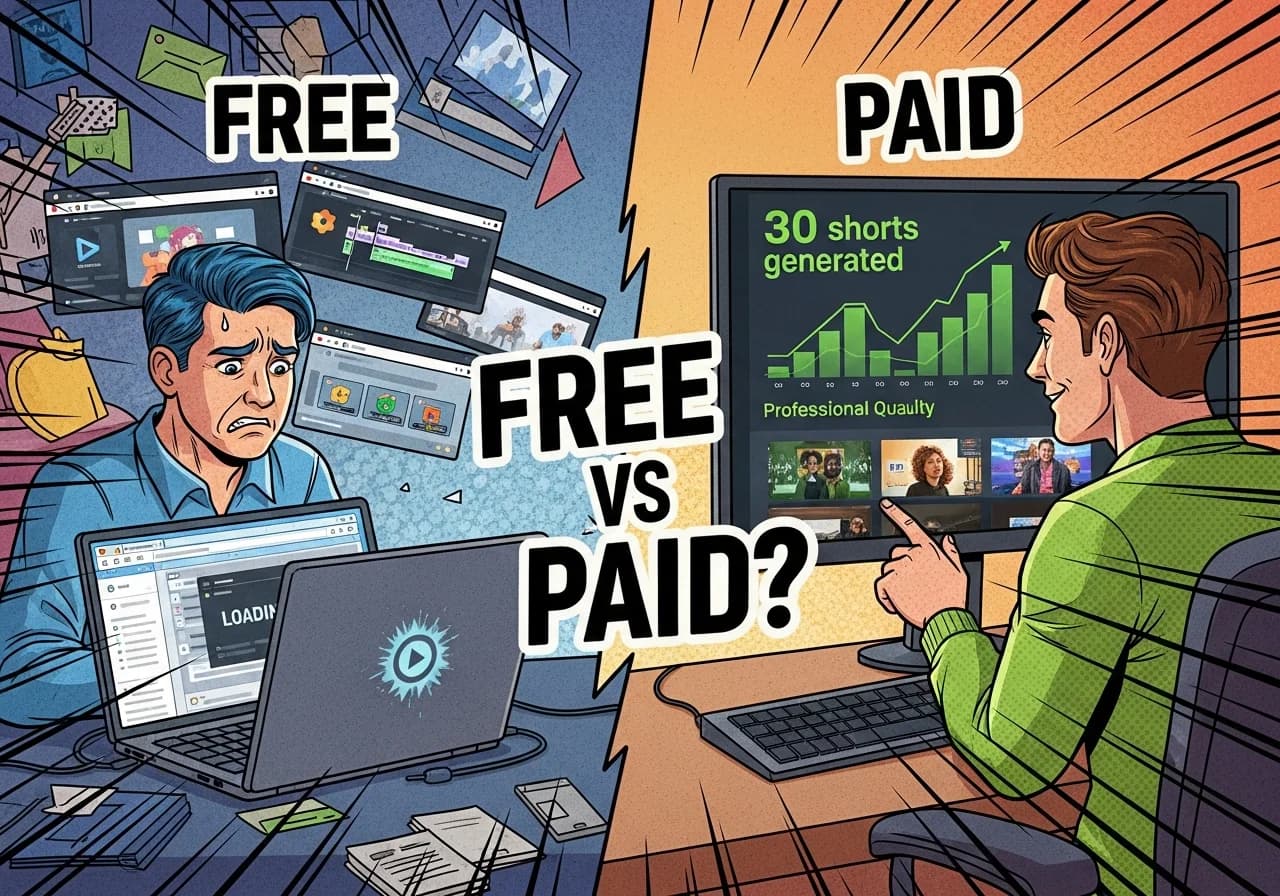
Free AI Shorts Generator Tools in 2026 (vs Paid Premium Options)
The free AI shorts landscape transformed dramatically in late 2025, but the gap between free and paid remains brutal for creators chasing monetization.
Table of Contents
- The Best Free Options That Actually Work
- What You Actually Get: Free vs Paid
- The Real Cost-Benefit Analysis
- Tool-by-Tool Comparison
- The Recommended Upgrade Path
- When Free Makes Sense vs When to Upgrade
- Best Free Tool by Use Case
- Complete Free Tool Comparison
The Best Free Options That Actually Work
Completely Free AI Video Generators
YouTube Shorts Veo 3 Fast launched in September 2025 as the first truly free AI video generator baked into a major platform.
According to reporting from TechCrunch, the tool generates 8-second video clips using Google DeepMind's Veo 3 model, accessible through the Shorts camera in the YouTube mobile app. Every generated clip gets automatically labeled "AI-generated" with embedded SynthID watermarking—disclosure is mandatory and you can't remove it.
Current limitations you need to know:
- 480p resolution max (not ideal for quality-conscious creators)
- Available only in US, UK, Canada, Australia, New Zealand (MENA expansion began November 2025)
- 8-second duration cap requires stitching multiple clips for full shorts
Key features include text-to-video generation with AI sound (a YouTube first), visual style selection between animated and cinematic, and green-screen backgrounds you can layer behind human performers.
Bing Video Creator with Sora debuted in June 2025, bringing OpenAI's Sora model to the masses. Microsoft's free tier gives you 5-second vertical (9:16) clips through the Bing mobile app.
The catch: you get 10 "fast" generations (completing in seconds), after which you must redeem Microsoft Rewards points or accept "standard" speed which can take hours. No audio generation is included. Available worldwide except China and Russia.
CapCut remains the workhorse free editor for shorts creators. The ByteDance-owned platform offers professional-grade editing with AI features including:
- Auto-captions in 93+ languages
- AI text-to-video generation
- AI avatars and background removal
- Noise reduction and filler word removal
Free exports at 1080p with a removable end card—technically watermark-free if you delete the final clip before export. The catch: a June 2025 Terms of Service update grants CapCut broad content ownership rights, raising concerns for commercial creators.
Free Tiers of Paid Tools
Here's what you actually get on free plans as of December 2025:
| Tool | Free Allowance | Resolution | Watermark | Key Limitation |
|---|---|---|---|---|
| Quso.ai (formerly Vidyo.ai) | 75 credits/month | 720p | Yes | TikTok-only direct publishing |
| Opus Clip | 60 credits/month | 1080p | Yes | 3-day clip expiration |
| InVideo AI | 2 min + 1 credit/week | Standard | Yes | 4 exports/week max |
| Runway Gen-3/4 | 125 credits (one-time) | 720p | Yes | ~25 seconds total |
| Pika Labs | 80 credits/month | 480p only | No | Extremely low resolution |
| Luma Dream Machine | ~250 credits/month | 720p draft | Yes | Lower priority queue |
| Fliki | 5 min/month | 720p | Yes | Limited voice quality |
Important update: Vidyo.ai fully merged into Quso.ai) in late 2024. Earlier reports claiming Vidyo.ai had no watermarks are outdated—the current Quso.ai free tier includes watermarks on all exports.
Pika Labs stands out as the only freemium tool offering watermark-free exports on the free tier, but the 480p resolution severely limits practical use.
Free Script and Ideation Tools
ChatGPT, Claude, and Gemini all offer free tiers sufficient for shorts scripting. You can also use dedicated tools like the free AI video script generator to quickly create engaging scripts optimized for short-form content.
These remain essential for the DIY workflow regardless of which video tools you choose. As covered in our comprehensive comparison of the best AI shorts generators, starting with solid scripts dramatically improves your final video quality.
The Realistic DIY Free Workflow
A completely free shorts production workflow looks like this:
- Scripting (5-10 min): ChatGPT/Claude for script generation
- Asset generation (15-20 min): YouTube Veo 3 or Bing Sora for AI clips
- Editing (15-20 min): CapCut for assembly, captions, effects
- Export and upload (5 min): Manual upload to each platform
Total time: approximately 40-55 minutes per short. This compares to 2-5 minutes with premium automated tools.
What You Actually Get: Free vs Paid
The Real Free Tier Limitations
Watermarks are the most visible penalty of free tools. Research shows watermarked content suffers up to 72% reach reduction on Instagram, and platforms actively suppress content with competitor watermarks.
Instagram downranks TikTok-watermarked content from Explore and Reels tabs. Opus Clip, InVideo AI, Quso.ai, Luma, and Fliki all watermark free exports.
Duration limits fundamentally constrain free AI generators:
- YouTube Veo 3: 8-second clips
- Bing Sora: 5-second clips
- Requires stitching multiple generations for complete shorts
- Adds production complexity and visible quality seams
Resolution caps affect both perceived quality and algorithmic performance. Most free tiers cap at 720p, while Pika's free tier offers only 480p. YouTube and TikTok algorithms don't explicitly penalize lower resolution, but viewer retention suffers.
Monthly quotas create artificial scarcity:
- Quso.ai: 75 credits (~75 minutes processing)
- Opus Clip: 60 credits (~60 minutes)
- Pika: 80 credits (~8-16 videos)
- Runway: 125 credits total (one-time, not monthly)
- Fliki: 5 minutes of content
Commercial use restrictions apply to nearly every free tier except Canva (with caveats about individual asset licensing). Pika, Luma, Runway, and Fliki explicitly prohibit commercial use on free plans.
What Paid Tools Unlock
No watermarks immediately unlocks platform algorithm potential. Studies show 27-34% distribution increases simply by removing watermarks before cross-posting.
Higher resolution (1080p-4K) signals production quality to both algorithms and audiences:
- Quso.ai upgrades to 1080p on paid tiers
- Runway offers 1080p+ on paid plans
- Luma provides 1080p/4K with upscaling
- Platforms like Virvid deliver professional quality with trending visual styles
Commercial rights become essential for monetization. Most paid plans include full commercial licensing for generated content and bundled stock assets.
YouTube-safe music through integrated libraries eliminates copyright claim risk. Music rights holders can take up to 50% of revenue from claimed content. Tools like Opus Clip Pro and InVideo AI paid tiers offer royalty-free, pre-cleared music.
Batch production transforms economics. Where free tools require video-by-video generation, paid tools enable automated clip extraction, scheduling, and multi-platform posting from a single source.
The Real Cost-Benefit Analysis
Time is the Hidden Cost of Free
The economics reveal free tools' true expense:
| Workflow | Time per Short | Shorts per Hour | Monthly Output (20 hrs) |
|---|---|---|---|
| Free DIY | 45-55 min | 1.1-1.3 | 22-26 shorts |
| Paid automated | 2-5 min | 12-30 | 240-600 shorts |
At a conservative $20/hour value of time, the free workflow costs $15-18 per short in labor. Paid tools at $29-49/month producing 10+ shorts weekly cost $0.72-$1.22 per short in subscription fees plus minimal time.
Break-even analysis: If you produce more than 3-4 shorts monthly, paid tools generate positive ROI through time savings alone.
Quality Impacts on Engagement
Research and platform data reveal measurable quality penalties:
Watermark impact on reach:
- Instagram: Up to 72% reduction (INSSIST 2025 research)
- Cross-platform TikTok watermarks: 27-34% reach penalty
- YouTube: Algorithmic suppression (not officially quantified)
Free music copyright claims:
- Using popular music reduces YouTube revenue share by up to 50%
- Copyright claims on Shorts 1-3 minutes block monetization entirely
- 58% of Q2 2025 Instagram takedowns involved unlicensed audio from cross-posted content
The Monetization Reality Check
YouTube's July 2025 policy update explicitly targets AI-generated content.
Content types blocked from monetization:
- Auto-generated slideshows with text-to-speech
- Channels uploading narrative stories with only superficial differences
- Content exclusively featuring readings of materials you didn't create
- Compilations without commentary or creative transformation
AI content can monetize if it demonstrates "significant human creativity" and editorial oversight. YouTube explicitly permits AI as a tool but requires transformative value.
TikTok's Creator Rewards Program) (which replaced Creator Fund in March 2024) explicitly excludes content that is primarily or entirely AI-generated. Penalties for unlabeled AI content escalate from content removal to permanent monetization ban to account termination.
YouTube Shorts earnings reality according to TubeBuddy's 2025 analysis:
- Average RPM: $0.03-$0.055 per 1,000 views
- 1 million views ≈ $30-55 in ad revenue
- Long-form video RPM: $2-16 per 1,000 views (40-300x higher)
At free-tier quality with watermarks and potential copyright claims, realistic earnings approach $0 until you scale significantly beyond free tool limitations.
Tool-by-Tool Comparison
Comprehensive Feature and Pricing (December 2025)
| Tool | Free Tier | Paid Start | Resolution | Commercial Use | Best For |
|---|---|---|---|---|---|
| YouTube Veo 3 | Unlimited 8s clips | N/A | 480p | Per YouTube ToS | Quick AI clips |
| Bing Sora | 10 fast + unlimited slow | N/A | ~720p | Per Microsoft ToS | Free Sora access |
| CapCut | Full editor | $7.99/mo | 1080p-4K | Verify per asset | Full editing |
| Quso.ai | 75 credits | $15-29/mo | 720p→1080p | Paid only | Repurposing |
| Opus Clip | 60 credits | $15/mo | 1080p | Paid only | Clip discovery |
| InVideo AI | ~8 min/mo | $20-28/mo | Standard→HD | Paid only | Full AI video |
| Virvid | Free credits | $19/mo | 1080p | Yes (paid) | Trending formats |
For creators looking to compare top platforms, check out our detailed guides on Virvid vs InVideo AI and Virvid vs Vid.ai to see which tool matches your specific needs.
Cost Per Short Calculations
For creators producing 20 shorts monthly:
| Tool | Monthly Cost | Cost per Short | Time per Short | Total Monthly Time |
|---|---|---|---|---|
| Full free workflow | $0 | $0 (+ ~$15-18 labor) | 45-55 min | 15-18 hours |
| Opus Clip Pro | $14.50 (annual) | $0.73 | 5-10 min | 2-3 hours |
| InVideo AI Plus | $20-28 | $1.00-1.40 | 3-5 min | 1-2 hours |
| Virvid Lite | $19 | $0.95 | 2-5 min | 1-2 hours |
True cost including time (at $20/hour labor value):
| Workflow | Subscription + Labor | Real Cost per Short |
|---|---|---|
| Free DIY | $0 + $300-360 | $15-18 |
| Opus Clip Pro | $14.50 + $40-60 | $2.73-3.73 |
| InVideo AI Plus | $24 + $20-40 | $2.20-3.20 |
| Virvid Lite | $19 + $20-40 | $1.95-2.95 |
The Recommended Upgrade Path
Month 1: Testing Phase (Free Tools Only)
Week 1-2: Validate your content concept
- Use ChatGPT/Claude free tier for 10-15 script variations
- Generate test clips with YouTube Veo 3 or Bing Sora
- Edit in CapCut (delete end card for watermark-free exports)
- Post to all three platforms to test engagement
Week 3-4: Identify bottlenecks
- Track which step consumes most time
- Note quality issues affecting engagement
- Monitor which content formats perform best
- Calculate your actual time per short
Month 1 goal: Publish 8-12 shorts, identify your winning format, understand workflow constraints.
Month 2: Strategic First Upgrade
Based on Month 1 learnings, choose one paid upgrade:
If editing/captions are your bottleneck: CapCut Pro ($7.99-9.99/month) for 4K exports, premium templates, advanced AI tools
If clip extraction from long-form content is your bottleneck: Opus Clip Starter ($15/month) for watermark removal, Virality Score, editing capabilities
If full AI video creation is your goal: InVideo AI Plus ($20-28/month) for script-to-video automation, or Virvid ($19/month) for trending formats that actually match what's going viral
If AI video quality is paramount: Luma Dream Machine Lite ($7.99/month) or Runway Standard ($12/month) for higher-quality AI generation
Month 2 goal: Double output to 16-24 shorts while maintaining or improving engagement rates.
Month 3+: Scaling with Tool Stacking
Optimal tool combinations by creator type:
Repurposing creators (long-form to shorts):
- Opus Clip Pro ($14.50/month annual) for clip extraction
- CapCut Pro ($9.99/month) for final polish
- Total: ~$25/month for 30-50 shorts monthly
AI-native creators (text/script to video):
- Virvid ($19/month) for trending viral formats
- Canva Pro ($10/month) for thumbnails and graphics
- Total: ~$29/month for 20-40 shorts monthly
Hybrid creators (mixed human + AI content):
- Luma Dream Machine Plus ($23.99/month) for AI clips
- CapCut Pro ($9.99/month) for editing human + AI footage
- SOUNDRAW ($16.99/month) for copyright-free music
- Total: ~$51/month for premium quality output
For creators exploring alternatives to popular tools, our comparisons of best InVideo AI alternatives and best Revid.ai alternatives break down the options.
When Free Makes Sense vs When to Upgrade
Scenarios Where Free Tools Are Sufficient
Testing content-market fit: Before investing in paid tools, validate that your content concept resonates. Free tools provide enough quality for initial testing—if content can't get traction at 720p with basic editing, paid tools won't fix the fundamental concept.
Very low volume (1-4 shorts monthly): If you're producing fewer than 4 shorts monthly, the time investment of free tools may be acceptable, and paid subscriptions don't generate positive ROI.
Non-monetization goals: For personal branding, portfolio building, or hobby creation without monetization intent, free tools avoid unnecessary expense.
Platform experimentation: When testing new platforms or formats, free tools reduce risk until you validate the opportunity.
Clear Upgrade Triggers
Volume threshold: Producing more than 4-5 shorts monthly consistently. At this volume, paid tools generate time-savings ROI.
Monetization eligibility approaching: Within striking distance of YouTube's 1,000 subscribers + 10M Shorts views threshold. Watermarks and low quality may be blocking the final push.
Engagement plateau: If retention and engagement metrics stagnate despite content improvements, production quality may be the bottleneck.
Time constraint: If shorts production takes more than 30 minutes each and you need to scale output.
Commercial opportunities: Brand deals, sponsorships, or affiliate content require commercial-use rights that free tiers don't provide. For creators interested in passive revenue, the Virvid affiliate program offers 30% recurring commission on referrals—a solid complement to content monetization.
Best Free Tool by Use Case
Quick concept testing: YouTube Veo 3 (fastest free AI generation within the YouTube ecosystem)
Long-form repurposing: Opus Clip free tier (best clip detection AI, accept watermark for testing)
Full editing control: CapCut (most powerful free editor, watermark-free with workaround)
AI video experiments: Pika Labs free tier (only watermark-free AI video generator, though limited to 480p)
Script generation: Claude free tier or the free YouTube Shorts script generator for platform-optimized scripts
Cross-platform posting: Canva free (direct publishing to multiple platforms, design integration)
Best Free Starter Combination
For creators beginning with zero budget:
- Claude or ChatGPT (free) → Script and hook writing
- YouTube Veo 3 or Bing Sora (free) → AI clip generation
- CapCut (free) → Editing, captions, assembly
- Canva (free) → Thumbnails and graphics
This combination provides a complete workflow from concept to published short with no monetary investment—only time investment of 45-60 minutes per quality short.
Complete Free Tool Comparison
| Tool | Watermark | Monthly Limit | Resolution | Ease of Use | Commercial Rights | Best Use Case |
|---|---|---|---|---|---|---|
| YouTube Veo 3 | Labeled | Unlimited | 480p | ★★★★★ | YouTube ToS | Quick AI clips |
| Bing Sora | No | 10 fast/unlimited slow | ~720p | ★★★★☆ | Microsoft ToS | Free Sora access |
| CapCut | Removable | Unlimited | 1080p | ★★★★★ | Limited | Full editing |
| Canva | No (free assets) | Unlimited | 1080p | ★★★★★ | Limited | Design + video |
| Quso.ai | Yes | 75 credits | 720p | ★★★★☆ | No | Repurposing |
| Opus Clip | Yes | 60 credits | 1080p | ★★★★☆ | No | Clip discovery |
| InVideo AI | Yes | ~8 min/mo | Standard | ★★★★☆ | No | AI creation |
| Pika Labs | No | 80 credits | 480p | ★★★☆☆ | No | Watermark-free AI |
| Virvid | Trial credits | Free trial | 1080p | ★★★★★ | Trial only | Trending formats |
The Bottom Line for 2026
The free AI shorts landscape offers genuinely useful tools, but with significant constraints that matter for serious creators. YouTube Veo 3 and Bing Sora represent breakthrough free access to production-quality AI video generation, yet their duration limits (5-8 seconds) and quality caps (480-720p) require creative workarounds.
The real calculation isn't free versus paid, it's time versus money. At 45+ minutes per free-workflow short versus 2-5 minutes with paid automation, creators producing more than a handful of videos monthly quickly justify paid subscriptions through labor savings alone.
For 2026 and beyond, the winning strategy combines free tools for experimentation with strategic paid upgrades once you've validated your content approach. Start with the free starter stack (Claude + Veo 3/Bing Sora + CapCut + Canva), identify your specific bottlenecks, then invest in the single tool that addresses your biggest constraint.
Whether that's Opus Clip for repurposing, InVideo AI for full automation, or Virvid for trending viral formats, the platforms that matter (YouTube, TikTok, Instagram) all reward consistent, quality output over sporadic perfection. Your goal isn't the cheapest workflow, it's the most sustainable one for your creative ambitions.
Start testing today with free tools, track your time ruthlessly, and upgrade strategically when the math makes sense. That's how you build a shorts channel that actually scales in 2026.
If you're interested in earning recurring income, consider Virvid's affiliate program offering 30% recurring lifetime commission, a proven passive income stream for content creators, bloggers, and agencies.