

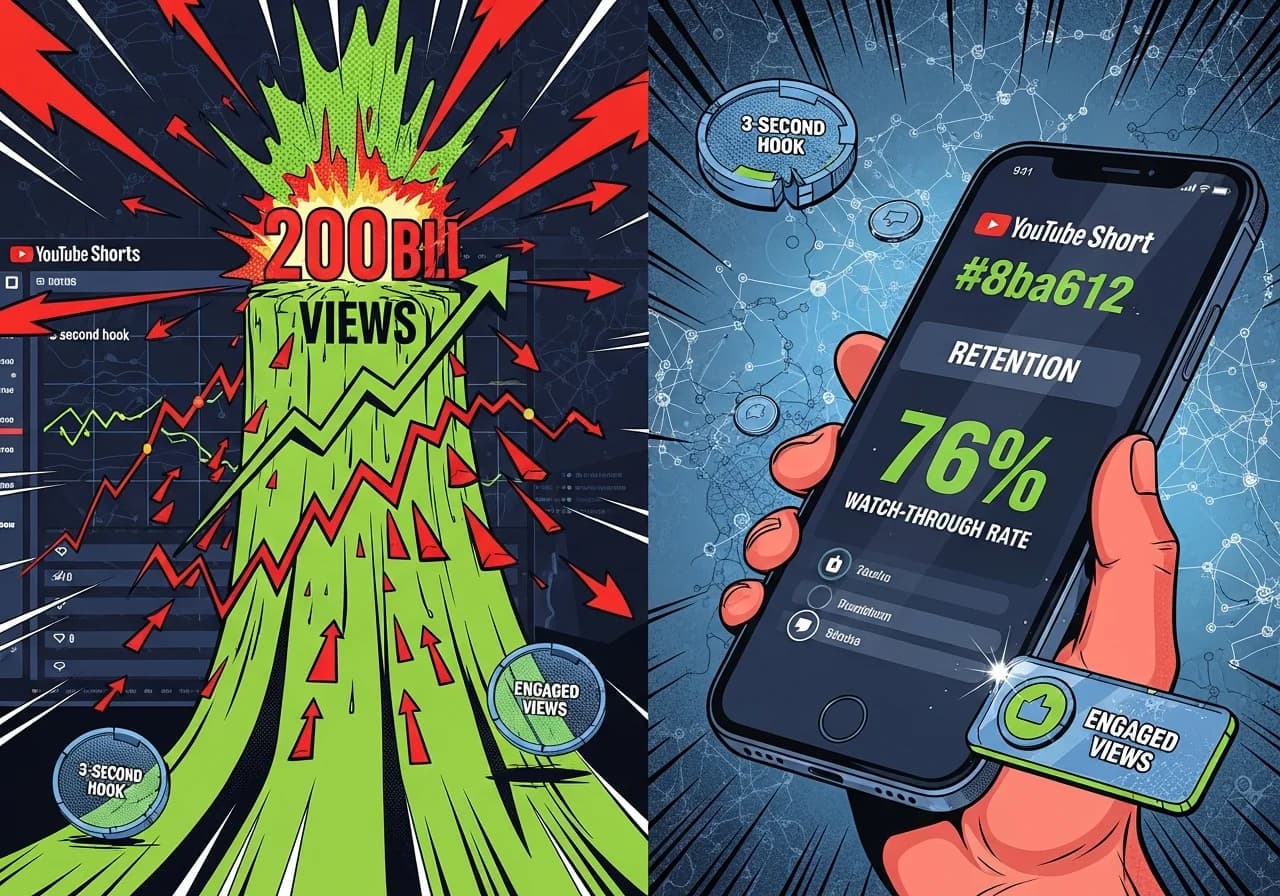
How to Get Views on YouTube Shorts in 2026 (Algorithm Secrets)
YouTube Shorts uses an explore-and-exploit recommendation system that prioritizes watch-through rate and engagement over subscriber count, meaning any creator can go viral if they master the first 3 seconds and hit 70%+ retention.
Table of Contents
- How YouTube Shorts Distribution Actually Works
- What Counts as a View in 2026
- Key Ranking Signals That Determine Reach
- The First 3 Seconds Rule
- Optimal Length Strategy for Maximum Retention
- Metadata Best Practices
- AI Content Requirements and Guidelines
- Common Issues and How to Fix Them
- Native Features That Boost Reach
How YouTube Shorts Distribution Actually Works
The YouTube Shorts algorithm operates differently from long-form videos. When you upload a Short, it gets shown to a small "seed audience" based on their viewing interests and watch history, not your subscriber count.
This is huge for small creators. You don't need 10,000 subscribers to go viral.
According to official YouTube guidance, the platform has "no opinion about what type of Shorts you make" and doesn't favor any particular format. The system simply evaluates viewer behavior in real-time.
Key metrics evaluated in the explore phase:
- Viewers chose to watch vs. swiped away
- Average view duration
- Average percentage viewed
- Post-watch engagement (likes, comments, shares)
Todd Beaupré, YouTube's Senior Director of Growth & Discovery, offers critical insight: "Anytime you say the word 'algorithm,' just replace it with 'audience.'" The algorithm reflects what viewers actually want to watch.
YouTube confirms that Shorts and long-form content use separate recommendation systems. Your Shorts performance won't hurt your long-form videos, and there's no minimum posting frequency required. As covered in our AI YouTube Shorts Monetization Guide 2026, understanding these distribution mechanics is foundational to success.
What Counts as a View in 2026
On March 31, 2025, YouTube revolutionized how it counts Shorts views. Now views register the instant a Short starts playing or replaying, with no minimum watch time requirement. This aligns YouTube with TikTok and Instagram Reels counting methods.
But here's the catch: there are now two separate metrics.
According to Search Engine Journal's coverage, YouTube tracks:
Views (Total): Every play or loop counts, measuring raw visibility Engaged Views: Only when viewers watch beyond the initial seconds
YouTube's Todd Sherman explains: "The new system allows creators to get that feedback loop going much faster." You'll see higher view counts sooner, but monetization still depends entirely on engaged views.
Critical for creators: The 10 million Shorts views requirement for YouTube Partner Program eligibility counts only engaged views, not total views. Check YouTube Studio's "Advanced Mode" in Analytics to see both metrics separately.
This change means your Shorts might show impressive view counts, but if retention is poor, you won't earn much. Focus on keeping viewers watching, not just getting them to click.
Key Ranking Signals That Determine Reach
Watch-Through Rate: Target 70%+
Average retention for Shorts hits 73% compared to just 52% for long-form videos, according to industry analysis from Zebracat. Viral Shorts achieving 1M+ views average 76% watch retention.
Here's what the data shows:
- 65%+ retention: More likely to get promoted
- 75%+ retention: 3x higher chance of reaching new audiences
- Below 50% at 10-15 seconds: Your hook is broken, start over
The algorithm strongly favors percentage watched over raw watch time. A 30-second Short with 85% retention will outrank a 60-second Short with 50% retention every time.
Retention benchmarks by length:
- Under 30 seconds: Aim for 60%+ completion
- First 10-15 seconds: Above 50% is solid, 80%+ is exceptional
- Full video: Target 70%+ for algorithmic boost
Replays and Loops Matter
According to CTN News research, 30% of Shorts viewers rewatch at least part of the video before swiping. Target a replay rate above 15% for strong performance.
The optimal length for looping content is 7-15 seconds, where the ending flows naturally back to the beginning. Since the March 2025 update, every loop counts as a separate view, amplifying visibility of highly rewatchable content.
Engagement Benchmarks
YouTube Shorts leads all platforms with a 5.91% average engagement rate as of Q1 2024, per Statista data. This beats TikTok (5.75%), Instagram Reels (5.53%), and Facebook Reels (2.07%).
Specific metrics for Shorts:
- Like-to-view ratio: 0.9% (double long-form's 0.45%)
- Comment rate: 0.05% (1 in 280 viewers comments)
- Share rate: 1.8 shares per 1,000 views
Videos exceeding 6% engagement receive algorithmic boosts that can double organic reach within 48 hours.
| Metric | Target | What It Signals |
|---|---|---|
| Watch-through rate | 70%+ | Content holds attention |
| Replay rate | 15%+ | Highly rewatchable |
| Engagement rate | 6%+ | Triggers algorithmic boost |
| Swipe-away rate | Under 20% | Strong hook |
The First 3 Seconds Rule
This is the make-or-break moment. According to research from vidIQ, 50-60% of viewers who drop off do so within the first 3 seconds. The average swipe rate occurs at 5.8 seconds.
Shorts with an immediate hook in the first 2 seconds retain 19% more viewers, and over 80% of all engagement happens within the first 10 seconds.
First 3 seconds retention targets:
- 70%+ retention: Excellent hook, algorithm will push it
- 50-69% retention: Decent, but test variations
- Below 50%: Rewrite immediately, you're losing the audience
Proven hook patterns:
- Start with the payoff, not the setup ("I made $10K in 30 days" vs. "Let me tell you about my business")
- Use pattern interrupts (unexpected visuals, bold claims)
- Ask a question that creates curiosity gap
- Show the end result first, then explain how
- Use trending audio within first 5 seconds (21% algorithmic boost)
If you're creating AI Shorts, tools like Virvid optimize for these first-3-second hooks automatically, using trending formats and hooking animation effects that stop the scroll.
For help crafting these crucial opening moments, try a free AI video hook generator that analyzes trending patterns.
Optimal Length Strategy for Maximum Retention
Since October 15, 2024, Shorts can extend to 3 minutes. But should they? The data tells a nuanced story.
Analysis shows completion rates by length:
| Video Length | Avg. Completion Rate | Best Use Cases |
|---|---|---|
| 15-30 seconds | 75-85% | Trends, challenges, quick hooks |
| 30-60 seconds | 60-75% | Tutorials, lists, talking heads |
| 50-60 seconds | 76% (highest) | Dense, value-packed content |
| 1-3 minutes | 40-60% | Educational, storytelling |
Top viral Shorts average 30.8 seconds in length. YouTube's Rene Ritchie says it best: "As long as it needs to be, but no longer. As short as it can be, but no shorter."
Critical limitation: Shorts over 60 seconds using copyrighted music from the audio picker will be blocked, per YouTube's official guidance. Only royalty-free audio from YouTube's library works for 1-3 minute Shorts, limited to 90 seconds of music.
Strategic recommendation: Start with 15-40 seconds. Once you master retention at this length, experiment with 50-60 second Shorts for more complex topics. Only go beyond 60 seconds if you have a proven track record of high retention and use royalty-free music.
Metadata Best Practices
Titles That Get Clicks
Maximum 100 characters allowed, but only 40-60 characters display in the Shorts feed. Front-load keywords and hooks.
Title formula that works:
- Numbers ("5 Secrets...")
- Questions ("Why Does...")
- Emotional triggers ("You Won't Believe...")
- Keyword in first 40 characters
Hashtags: The Truth About #Shorts
Big change in 2026: the #Shorts hashtag is optional. According to YouTube's support documentation, the platform automatically identifies vertical videos under 3 minutes as Shorts.
Many creators still include it as an extra signal, but focus instead on 3-8 relevant hashtags using this formula:
- General: #Shorts, #YouTubeShorts
- Niche-specific: #FitnessShorts, #CookingHacks
- Trending: Check what's viral in your category
Custom Thumbnails
As of January 2025, creators can select frames and add text, filters, and emojis, but full custom thumbnail uploads remain unavailable for Shorts.
However, thumbnails have limited impact since most Shorts views come from the autoplay feed where they don't display. They only matter for search results, channel pages, and the home feed.
Priority order for metadata:
- First 3 seconds of video (this IS your thumbnail in the feed)
- Title (first 40 characters)
- Hashtags (3-5 relevant ones)
- Thumbnail selection (nice to have, not critical)
AI Content Requirements and Guidelines
Mandatory Disclosure (May 2025 Rules)
YouTube requires creators to disclose content that makes real people appear to say/do things they didn't, alters footage of real events, or generates realistic scenes that didn't occur.
According to YouTube's official policy, disclosure happens via the "Altered Content" toggle in YouTube Studio during upload.
What requires disclosure:
- AI-generated voices of real people
- Synthetic realistic scenes or events
- Altered footage of real individuals
What does NOT require disclosure:
- Unrealistic content (animations, fantasy)
- Minor edits (color correction, filters)
- AI-generated scripts, titles, or thumbnails
- Cloning your own voice
- Gameplay footage
Consequences for non-disclosure: YouTube applies non-removable labels, removes content, or suspends YPP eligibility. But YouTube explicitly states: "Disclosing content as altered or synthetic won't limit a video's audience or impact its eligibility to earn money."
Translation: Be honest about AI use. It won't hurt your reach.
The July 2025 "Inauthentic Content" Policy
On July 15, 2025, YouTube renamed "repetitious content" to "inauthentic content," directly targeting mass-produced videos.
According to reporting from Addicapes, the official definition is: "Content that looks like it's made with a template with little to no variation across videos, or content that's easily replicable at scale."
Content blocked from monetization:
- Readings of materials you didn't create
- Songs with only pitch/speed modifications
- Similar repetitive content with low educational value
- Mass-produced templated content
- Image slideshows with minimal narrative
AI Shorts at risk: Faceless channels using identical AI voiceovers over stock footage, templated scripts with zero variation, and pure text-to-speech with no original commentary.
How to Make AI Shorts That Perform
To maintain monetization eligibility, AI-assisted Shorts must demonstrate human creative direction. Virvid users succeed by combining AI efficiency with original storytelling.
Successful approaches:
- Add personal voice and commentary over AI visuals
- Show on-screen human presence (even if brief)
- Invest in thoughtful editing (B-rolls, transitions, text overlays)
- Transform source content with context and analysis
- Use AI to accelerate ideation, not replace creativity
Platforms like Virvid excel here because they offer trending styles and formats updated weekly, allowing creators to make AI Shorts that feel fresh and original rather than mass-produced templates. The platform's intelligent visual generation system adapts to your story, avoiding the repetitive look that triggers YouTube's filters.
When creating AI content for monetization, check out our comparison of Virvid vs 2short.ai to understand how different tools handle originality requirements.
Common Issues and How to Fix Them
Videos Stuck at 0 or Low Views
Primary causes include:
1. Poor retention signals: High swipe-away rates in first 3 seconds 2. Wrong format: Horizontal video won't surface in Shorts feed 3. Copyrighted music: Triggers visibility restrictions 4. Policy violations: Previous strikes affect new content
The algorithm's explore phase tests Shorts with small audiences first. Wait 24-48 hours before assessing performance.
Diagnostic checklist:
- Check "Viewed vs. Swiped away" in YouTube Studio
- If over 20% swipe immediately, rewrite your hook
- Verify aspect ratio is 9:16 vertical
- Ensure duration is under 3 minutes
- Use only royalty-free or original audio
Shadowbans and Reduced Visibility
While YouTube doesn't acknowledge "shadowbanning," creators report sudden view drops. Common triggers:
- Bulk uploading multiple Shorts at once
- Duplicate content across channels
- Spammy behavior (sub4sub, engagement pods)
- Repetitive templated content
Signs of reduced visibility:
- Low impressions despite good watch time
- Content not appearing in search
- Sudden drop from normal performance
How to recover:
- Stop uploading for 3-5 days
- Review content for policy violations
- Focus on one high-quality Short with strong retention
- Engage authentically with your niche
Technical Requirements Checklist
Ensure your Short meets these specs:
- Aspect ratio: 9:16 vertical (1:1 square works but shows black bars)
- Resolution: 1080x1920 pixels recommended
- Duration: Up to 3 minutes (October 2024+)
- Safe zone: Keep critical visuals in center 75% of frame
YouTube's algorithm won't promote content that doesn't meet format requirements. Double-check before uploading.
Native Features That Boost Reach
YouTube incentivizes use of its Shorts creation ecosystem. According to YouTube's official blog, creators using native features see measurably better distribution.
Remix Features
The Remix feature (launched February 2024) consolidates four options:
- Sound: Extract audio from any Short
- Collab: Create split-screen with another Short
- Green Screen: Use a Short as your background
- Cut: Clip 5 seconds to remix
All remixed Shorts automatically link to the original creator, giving attribution and cross-promotion.
Templates and AI Tools
Templates let you match clips to trending sounds with pre-structured timing. Great for riding trending audio waves.
"Edit into a Short" converts long-form content by selecting up to 60 seconds combined with new recordings. Perfect for repurposing existing content.
Dream Screen and Dream Track are YouTube's AI tools for generating backgrounds and music. When you use them, YouTube automatically adds AI disclosure, keeping you compliant with May 2025 rules.
Why Native Features Matter
The algorithm recognizes when you use YouTube's built-in tools versus uploading content edited elsewhere. Using native features signals you're invested in the Shorts ecosystem, which correlates with better distribution.
Strategic priority:
- Use Remix features when relevant to trending content
- Try Templates for audio-driven formats
- Leverage "Edit into a Short" to repurpose long-form
- Experiment with Dream Screen for unique backgrounds
Combined with strong hooks and retention, these features give you an edge in the algorithm.
Platform Statistics You Should Know
YouTube Shorts hit 200 billion daily views as of June 2025, according to CEO Neal Mohan at Cannes Lions. That's up from 70 billion in February 2024, representing 186% year-over-year growth.
Monetization milestone: TheWrap reported in May 2025 that Shorts' revenue per watch-hour reached parity with core YouTube in multiple countries including the US.
Creator ecosystem: Over 3 million channels in YouTube Partner Program, with 25%+ monetizing through Shorts revenue sharing.
Subscriber conversion: Shorts generate an average of 16.9 subscribers per 10,000 views for smaller channels.
Key insight from Neal Mohan: "Especially for younger audiences, viewing video is increasingly participatory in nature. They want to jump in themselves and participate in that creation process. And Shorts just makes that easy and straightforward."
As we explore in our guide on AI YouTube Shorts vs TikTok Reels, YouTube's monetization advantage makes it particularly attractive for creators building sustainable income.
For creators interested in additional revenue streams beyond ads, the Virvid affiliate program offers 30% recurring lifetime commissions. With Virvid's high-converting landing pages optimized for AI Shorts creators, affiliates can build serious passive income (100 referred subscribers on the $59/month plan generates $21,240 annually).
Start Getting More Views Today
The YouTube Shorts algorithm in 2026 rewards retention over reach, engagement over uploads, and originality over volume. Master the first 3 seconds, target 70%+ watch-through rate, and use native features to maximize distribution.
For AI-assisted creators, the path is clear: disclose synthetic content, avoid repetitive templates, and add genuine human creative direction. Platforms like Virvid make this simple by combining AI efficiency with trending formats that perform.
The 200 billion daily views opportunity is massive. Focus on hooks that stop the scroll, content that keeps viewers watching, and metadata that helps the algorithm understand your niche.
Your next viral Short could go out in the next 24 hours. Make it count.